~/projects / password-manager
password-manager/
DOOF Vault is a password manager for the terminal. It started as a university OOP assignment and I rebuilt it around a threat model: one encrypted file, a master password, and nothing decrypted until you actually need it.
- Java 17
- Argon2id
- HKDF
- AES-256-GCM
- SQLite
- Lanterna TUI
- JUnit
- GitHub Actions
$ cat history
Version 1 was a class project: Java Swing, a MySQL database and AES-GCM with PBKDF2. It worked, but it needed a database server running, it kept decrypted passwords in memory, and I couldn't have told you what it was protecting against.
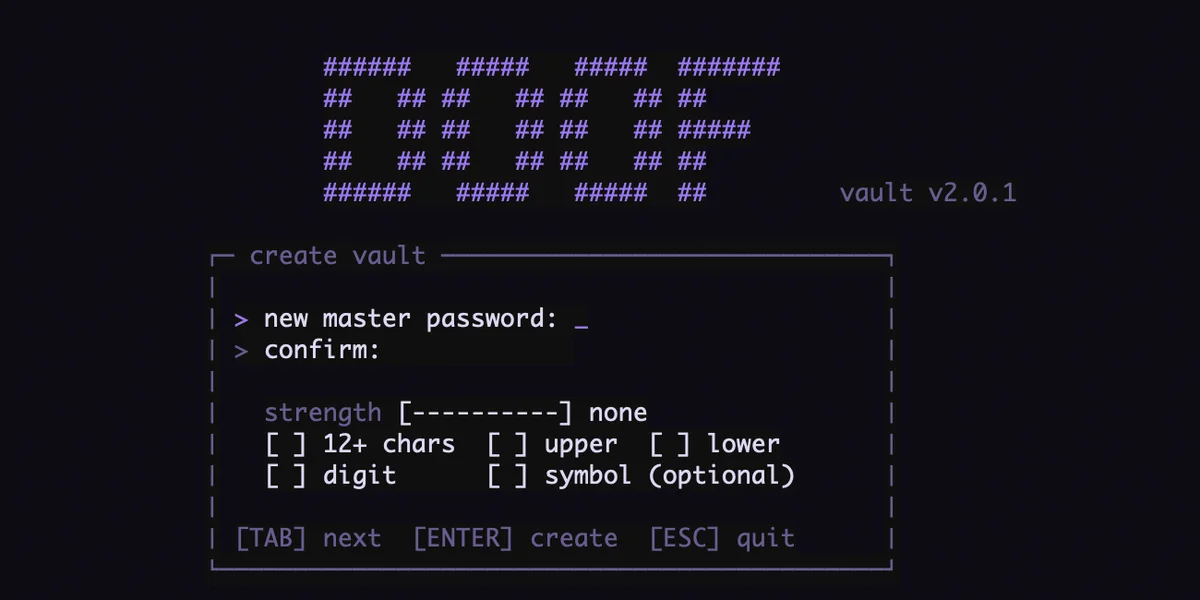
Version 2 started from that question. I wrote down the threats first (a stolen vault file, someone guessing, tampering, a password left on screen or in the clipboard), then changed the design until each one had an answer. MySQL became a single SQLite file, Swing became a keyboard-only terminal UI that also works over SSH, and the crypto was replaced end to end.
$ cat crypto
- Argon2id makes every password guess cost 64 MiB of memory. Its parameters are stored per vault, so I can raise them later without breaking old vaults.
- HKDF splits the result into two independent keys. The one on disk only checks your password; the one that decrypts never touches the disk.
- Site, username, password and notes are encrypted together as one AES-256-GCM blob, with a fresh IV each time. The entry's id is bound in as associated data, so copying a ciphertext into a different row makes it fail to decrypt.
- Because the id is part of the AAD, a reused id could let an old ciphertext from a backup validate in a new row. The table uses
AUTOINCREMENTso SQLite never reuses one.
$ cat threat-model
| Threat | What stops it |
|---|---|
Someone copies vault.db | Every field is encrypted, and each guess costs a full Argon2id run |
| Guessing through the app | Exponential delay from 1 s to 30 s that survives restarts |
| Swapping or editing ciphertext | GCM tag plus the entry id as AAD |
| Other users on the machine | Vault created 600 in a 700 directory, with a warning if that loosens |
| Walking away while unlocked | Auto-lock after 5 idle minutes wipes the key and clears the screen |
| Password left in the clipboard | Cleared after 20 s, on lock and on quit, but only if it's still ours |
| Master password change fails halfway | Re-encryption runs in one transaction, so any failure rolls back |
$ cat runtime
After unlock, only site names and usernames sit in memory, enough to list and search. A password is decrypted when you reveal or copy it, into a char[] that gets zeroed right after. A reveal lasts 10 seconds, and the TUI draws it cell by cell so the program never builds a Java String of it, since strings can't be wiped.
Changing the master password also upgrades the KDF settings, because it re-derives everything with the current defaults.
$ cat known-limits
Writing these down was the part that taught me the most.
- Throttling does nothing against offline attacks. Anyone with a copy of the file ignores the app's counter and guesses directly, so a long passphrase is the real defense.
- A compromised machine wins. A keylogger or anyone who can read process memory gets the key while the vault is open.
- Java makes its own internal copies of key bytes that I can't zero. The clipboard API only accepts a
String, so copying a password leaves one unwipeable copy until garbage collection. - The file still shows metadata: how many entries exist, when they changed and roughly how long each one is.
$ cat engineering
- 271 JUnit tests, including an RFC 5869 HKDF test vector, tamper and row-swap detection, throttling with an injectable clock, rotation with forced mid-transaction failures, and every TUI screen on an in-memory terminal.
- GitHub Actions builds and tests on Linux and macOS, runs shellcheck on the installer, and publishes each release with a
SHA256SUMSfile. Dependabot keeps dependencies current. - The installer downloads over HTTPS, verifies the checksum, and installs nothing if it doesn't match. It never needs root.
doofv backupuses SQLite's online backup API, verifies the copy, keeps the newest 14, and ships with launchd and systemd timers for daily runs.- The design is documented in
SECURITY.md,ARCHITECTURE.mdandTUI_DESIGN.md.
$ cat todo
- Signed releases with cosign. Checksums catch a corrupted download but not a swapped release page.
- Run it on the homelab: an SSH-only host with the TUI as a forced command, plus off-site backups and monitoring.
- A demo recording.